work-from-home outfits that look polished on video calls focus on solid mid-tone colors, simple patterns, neat grooming, one subtle accessory, and soft front-facing lighting with eye-level framing to ensure fabrics and face read clearly and professionally on screen.
work-from-home outfits that look polished on video calls can boost how you come across on screen without forcing you into uncomfortable clothes. Ready for quick, camera-friendly choices and tiny tweaks that actually change your look?
Pick colors and patterns that read well on camera
work-from-home outfits that look polished on video calls start with choosing colors and patterns that the camera favors. Small changes in hue or print can make you look clearer and more professional on screen.
Think of your outfit as part of the frame: it should support your face, not distract from it.
why color choice matters
Cameras translate color differently than the eye. Bright whites can wash you out, while very dark tones can lose detail. Choose mid-tone colors that add contrast to your background.
patterns: what works and what doesn’t
Some prints create visual noise on video. Avoid tiny, high-contrast patterns that cause flicker or moiré. Prefer larger, simple patterns if you want a print.
- Solid mid-tones (blue, teal, burgundy) keep attention on your face.
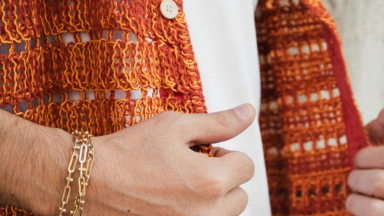
- Subtle textures (knit, linen) add depth without distraction.
- Avoid tiny checks, thin stripes, or busy florals that the camera may distort.
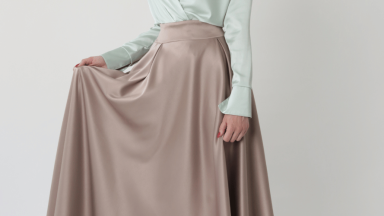
- Steer clear of shiny fabrics that reflect light and create glare.
Consider your background when picking color. If your wall is light, wear a darker top. If your background is dark, choose a lighter shade. This contrast helps the camera keep you in focus.
Skin tone matters too. Warm skin tones often pair well with earthy tones. Cooler skin tones can pop with jewel or pastel shades. Test a few options on camera to see what reads best.
easy color combinations to try
- Medium blue top with a neutral background — classic and camera-friendly.
- Burgundy or deep green with soft lighting — adds warmth and looks sharp.
- Light gray or soft pastel with a darker chair or plant behind you — subtle contrast without glare.
Small pattern accents can work if balanced. A patterned scarf or blazer worn with a solid base can add personality without causing visual issues. Keep the pattern size moderate and the colors harmonious.
In short, pick colors that contrast with your background, avoid tiny or high-contrast prints, and test outfits on camera before important calls. These simple choices help work-from-home outfits that look polished on video calls read clearer and more confident on screen.
Build three go-to outfits mixing comfort and polish

work-from-home outfits that look polished on video calls can be simple to assemble with a few reliable pieces. Focus on combos that feel comfortable and read sharp on camera.
Below are three easy, repeatable outfits you can mix and match for different meeting styles.
outfit 1: the casual blazer combo
Start with a soft, unstructured blazer over a fitted knit top. This gives shape without feeling stiff.
- Soft blazer in a mid-tone color (navy or gray).
- Solid knit top in a complementary shade.
- Minimal necklace or simple stud earrings.
This set looks professional on screen while staying relaxed off camera. The blazer frames the face and the knit prevents glare.
outfit 2: the neat sweater and shirt
A lightweight sweater over a crisp shirt keeps things polished yet cozy. Roll the cuffs or pop the collar for subtle detail.
- Thin cotton or merino sweater in a solid color.
- Crisp button-down shirt with a clean collar.
- Optional simple watch or ring for a refined touch.
This combo works for longer calls. It avoids shine and gives a clean silhouette that the camera favors.
outfit 3: the polished casual with an accent
Pair a solid top with a small accent piece to add personality. Think a patterned scarf, a textured jacket, or a bold earring.
- Solid blouse or top as the base.
- One accent item (scarf, blazer, or statement earring).
- Neutral background or chair for contrast on screen.
Use one accent at a time to avoid visual clutter. The focus should stay on your face, not your clothes.
Quick tips: test each outfit on camera, check how colors interact with your background, and choose fabrics that don’t reflect light. Small tweaks like smoothing collars and removing noisy jewelry make a big difference.
These three formulas help you rotate work-from-home outfits that look polished on video calls with ease. They balance comfort and polish so you feel confident and camera-ready.
Small grooming and accessory tweaks that elevate your presence
work-from-home outfits that look polished on video calls get a big boost from small grooming and accessory tweaks. These tiny changes help you appear fresher and more focused on screen.
Aim for clean, simple details that frame your face and cut distractions during meetings.
Face and hair grooming
Keep hair tidy and away from the eyes. A neat hairline and simple style read well on video.
- Tuck hair behind the ears or use a low clip to keep it off your face.
- Brush or lightly style hair to remove flyaways and stray hairs.
- Use a matte powder or blotting sheets to reduce shine on the forehead and nose.
For facial grooming, small touches matter. Trim visible stray facial hair and keep brows tidy. A quick wipe of the face before a call removes oil and gives a fresher look.
Makeup, if you use it, should be subtle. Concealer and a touch of powder even out skin and reduce glare. Lip balm prevents dry, cracked lips that draw attention.
Accessory choices that read well on camera
Pick one or two simple accessories that add polish without stealing the scene. Avoid heavy, jangly pieces that show movement on screen.
- Small stud earrings or a thin necklace that stays close to the collarbone.
- A lightweight scarf or structured blazer used as a single accent.
- A simple, non-reflective watch or ring for subtle detail.
Glasses with anti-reflective lenses cut glare and keep eyes visible. If your frames reflect light, adjust lamps or tilt the screen slightly to reduce reflections. Avoid bright, shiny fabrics near the face.
Headphones and mics should look tidy. Use small earbuds or a compact headset that blends into the frame. Hide cords when possible to keep the view clean and professional.
In short, focus on neat grooming, low-key accessories, and removing visual noise. These small tweaks help work-from-home outfits that look polished on video calls feel complete and camera-ready.
Lighting and framing hacks to make outfits look better on screen
work-from-home outfits that look polished on video calls look much better with simple lighting and framing fixes. A few small changes can make colors pop and fabrics read true on camera.
Test these easy hacks to keep the focus on your face and your outfit, not on glare or odd shadows.
soft, front-facing light works best
Place a light source in front of you, slightly above eye level. This softens shadows and shows texture clearly.
- Use natural window light or a ring light for even illumination.
- Diffuse harsh light with a sheer curtain or a softbox to avoid glare.
- Avoid strong overhead lights that cast unflattering shadows on the face.
Keep the color temperature consistent. Mixing warm and cool lights can change how colors look on-screen. Aim for neutral or slightly warm light for skin tones and clothing.
frame for a clear, flattering view
How you place the camera changes how clothes appear. Frame yourself from chest to just above the head for a balanced look.
- Set the camera at eye level or slightly above to avoid chin shadows.
- Leave a small space above the head—too much headroom makes you look distant.
- Position yourself slightly off center if you plan to show gestures or props.
Keep a steady camera. Use a tripod or stack books under your laptop so the angle stays fixed. A stable frame keeps the outfit consistent during movement.
Choose a background that contrasts with your top. If you wear a dark blazer, sit in front of a lighter wall. This contrast helps the camera separate you from the background and keeps attention on your face and clothes.
Reduce reflections from glasses and shiny fabrics by angling lights or lowering brightness. Matte fabrics and anti-reflective lenses help maintain a clean look on video.
Finally, always test your setup before important calls. Check how fabrics, colors, and patterns look on camera, and tweak light placement or framing until the outfit reads polished. These quick checks make work-from-home outfits that look polished on video calls truly camera-ready.
In short, small choices can change how you appear on video. Pick camera-friendly colors and simple patterns, keep three go-to outfits, tidy grooming and accessories, and use soft, eye-level lighting so you look polished and confident.
FAQ – work-from-home outfits that look polished on video calls
What colors and patterns look best on camera?
Choose solid mid-tones like blue, teal, or burgundy and avoid tiny high-contrast patterns; test outfits against your background.
How do I stay comfortable but still look polished?
Pick soft structured pieces—like a knit top with a casual blazer or sweater over a shirt—and rotate three go-to combos for easy swaps.
Which accessories should I wear or avoid on video calls?
Wear one subtle accessory (small studs, thin necklace) and avoid large, shiny, or jangly pieces that distract on screen.
What simple lighting and framing tips make outfits read better?
Use soft front-facing light, keep color temperature consistent, and set the camera at eye level framed chest-up to show clothes clearly.